/ › Blog › Use the numbers (Luke…)
    Sign in

    On this page

    • Use the numbers (Luke…)

    Info

    • Author: Johnny
    • Date: 2025-10-12
    • Link: jdcm.al/blog/0141

    Community

    • Forum
    • Discord

    Use the numbers (Luke…)

    These IDs of yours. Handy little things. Use them.

    When you go to save a thing and that where do you want to save it? dialog pops up, don't go clicking around like an amateur! You're better than that. Use the force… built-in features of your operating system.
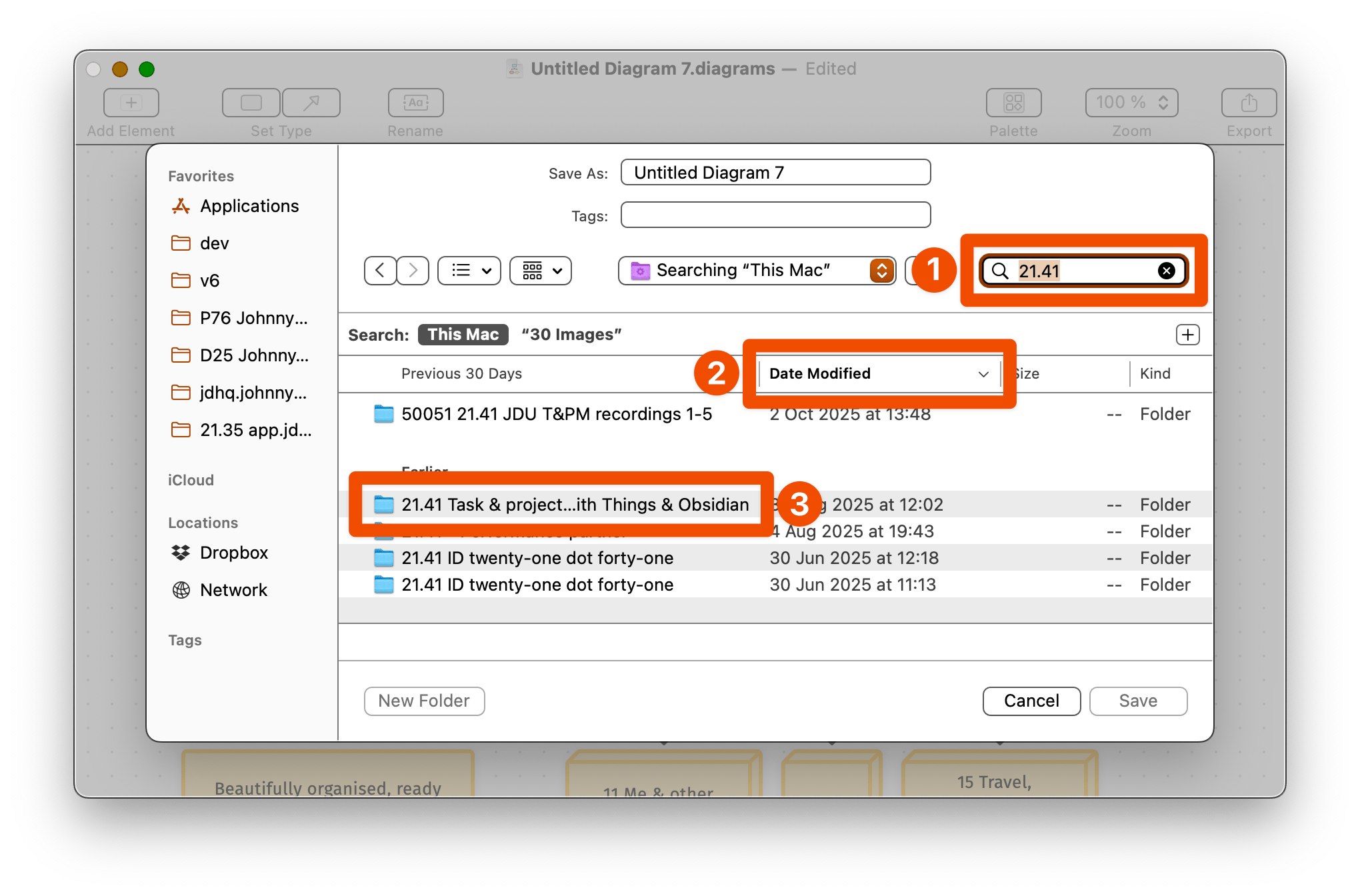
    A screenshot of the standard file save dialog. The first thing highlighted is the search feature, into which I've typed '21.41'. This has revealed those folders in the main view. Second highlight is the fact that I'm sorting by 'date modified'. Third highlight is the folder that I want to save this file in.
    Figure 22.00.0141A. It's basically the same on Windows.
    1. In the search box, type the number of the folder you want. I remember this one as I've been working on it for weeks now.
    2. It can't hurt to sort by date modified. Pop the recent stuff to the top.
    3. That's the folder I want! Select it.
    4. Done. What was that, 3 seconds?

    ā—€ Back A regional Japanese mall Naming hard drives Next ā–¶ (Use the ← arrow keys →)

    Written by humans • Search • Support