The JDex
The index is your Johnny.
A Johnny.Decimal index (or JDex) is the master record of every ID in a system. It can be kept in a few ways; I recommend using a notes app.
Some people push back on keeping an index because it's extra work. But they haven't realised the pitfalls of not keeping an index versus its advantages.
I consider this more important than your filesystem and encourage you to try it. It takes less time than you think, and you'll find many ways that it helps you be more organised.
The index is your Johnny.Decimal system. You need to be sold on this concept, so let me convince you.
Why I love my JDex
I know where everything in my life is
Until recently the main place we looked for things was our filesystem. But now there's so many places a thing can be.
Email, chat, cloud storage, hard drives, servers, apps, collaboration software, calendars – the list is long.
The index solves this problem by giving you a place to note an item's location. Simple.
┌──────────┐      ┌─────────────────────────────────┐
│ Title of │      │                                 │
│the index ├─────▶│ 14.14 My data storage & backups │
│  entry   │      │                                 │
└──────────┘      │                                 │
┌──────────┐      │                                 │
│Recording ├─────▶│ Location: Dropbox, iCloud,      │
│   the    │      │ Backblaze, blue hard drive      │
│ location │      │                                 │
│  of the  │      └─────────────────────────────────┘
│  thing   │
└──────────┘
I never re-use IDs
It's easy to accidentally create the same ID twice if you don't have an index.
Let's say you book a trip to Vietnam. It gets ID 15.53. You save PDFs in your filesystem, and email confirmations in your email.
Then you book a trip to New Zealand. You only have emails to store, so you don't create a folder in your filesystem. Your situation looks like this.
┌──────────────────────────────────────────────────┐
│Item                             File    Email    │
├──────────────────────────────────────────────────┤
│15.53 Vietnam, 2024               ▒        ▒      │
├──────────────────────────────────────────────────┤
│15.54 New Zealand, 2024                    ▒      │
└──────────────────────────────────────────────────┘
Next, you plan a trip to Japan and want to save a PDF. You look in your filesystem. How do you know which number to use? Don't pretend that you'll remember that 15.54 is taken and you want 15.55. You won't. I've done it.
┌──────────────────────────────────────────────────┐
│Item                             File    Email    │
├──────────────────────────────────────────────────┤
│15.53 Vietnam, 2024               ▒        ▒      │
├──────────────────────────────────────────────────┤
│15.54 New Zealand, 2024                    ▒      │
├──────────────────────────────────────────────────┤
│15.54 Japan, 2025                 ▒               │
└──────────────────────────────────────────────────┘
You need an index as the central store of your IDs. Now you won't go to your filesystem to create a new ID: you'll open your index. Your filesystem is not your index.
My note-taking is next level
What if you had a place to store quick notes and knew that you could find them again? As we see below, when you keep your index in a notes app, you get this for free. All your notes live in IDs.1
How to keep your JDex
Until I get around to making a Johnny.Decimal app, the simplest way to keep an index is in a notes app. I've tried other ways but they were more effort.2
Any app that lets you search your notes quickly will work.
- I use, love, and recommend Bear for all Apple platforms.
- Obsidian is a crowd favourite. Cross-platform.
- In the Workshop we see Lucy create her JDex in Apple Notes.
One note per ID
To create a new ID, just create a new note:
-
First, search your notes for the relevant category.
-
Your app should filter all notes and show only those that match.
-
Identify the next available number and make a new note.
The title is the index entry. The rest of the note can be blank. But, as mentioned, adding location data can be really helpful.3
You must do this before you create a folder in your filesystem, email, or anywhere else. Creating the note is creating the new ID.
What this looks like in Bear
By typing 15 and . in search, we can (usually) filter out other notes that just include the text '15'.
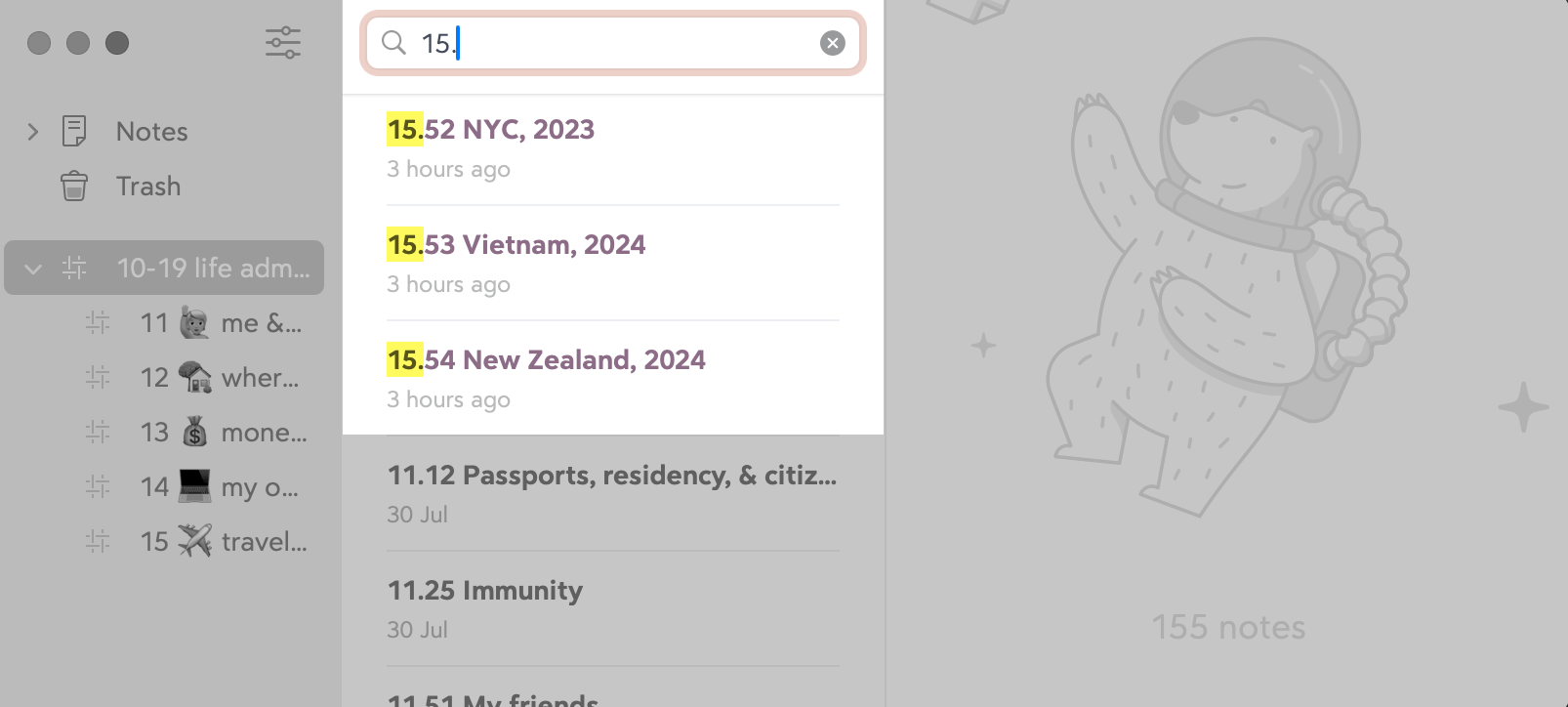
It's showing us that 15.55 is the next available ID in the category. So we create a new note.
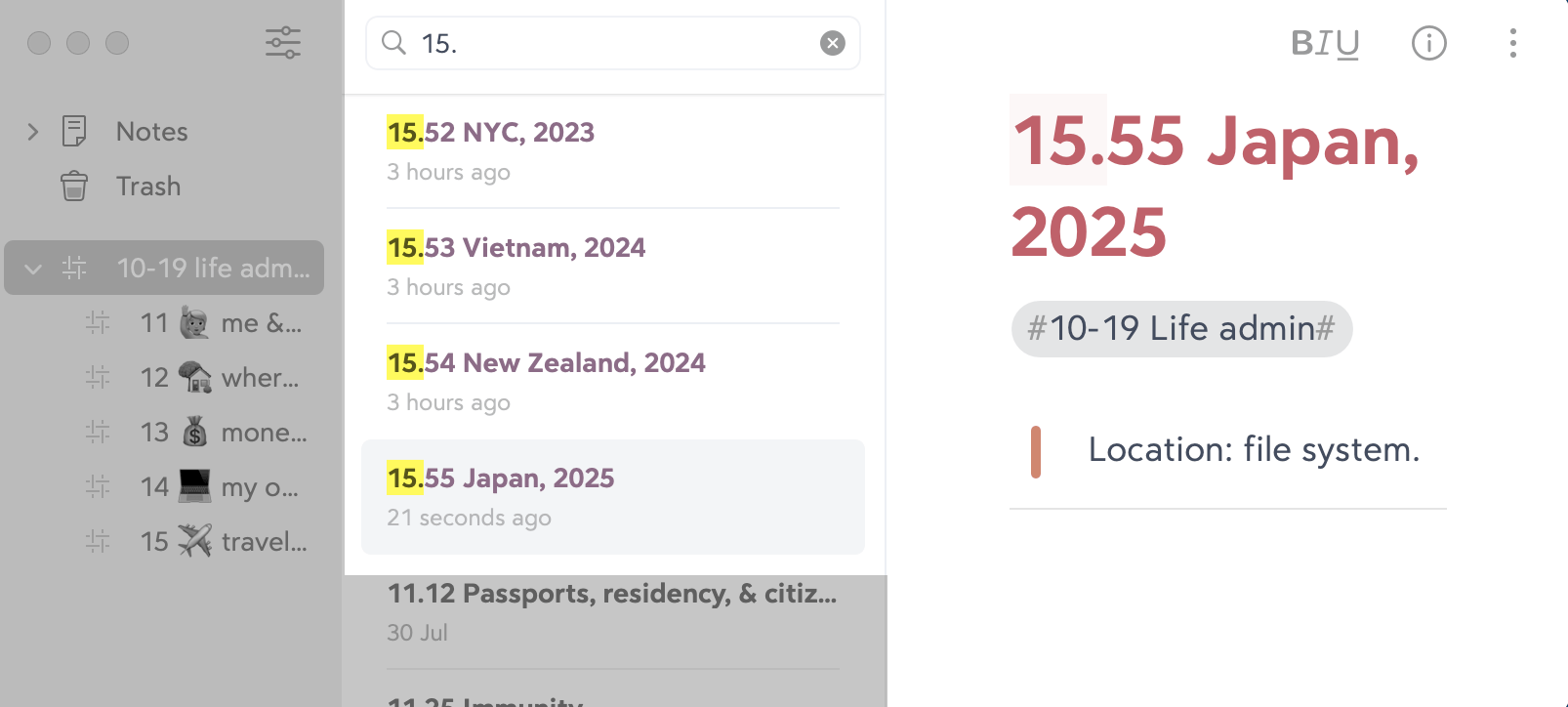
The power of search
When you're saving all sorts of items in your system, you won't always remember where they are. Did you store your car insurance policy in your email or filesystem? Is your hotel booking in your email or a travel app?
The whole point of the Johnny.Decimal system is to remove this frustration.
Having a central index allows you to search for items by title, or filter everything by area or category. This lets you see, immediately, what you've saved. If your system also tells you the item's location, fantastic.
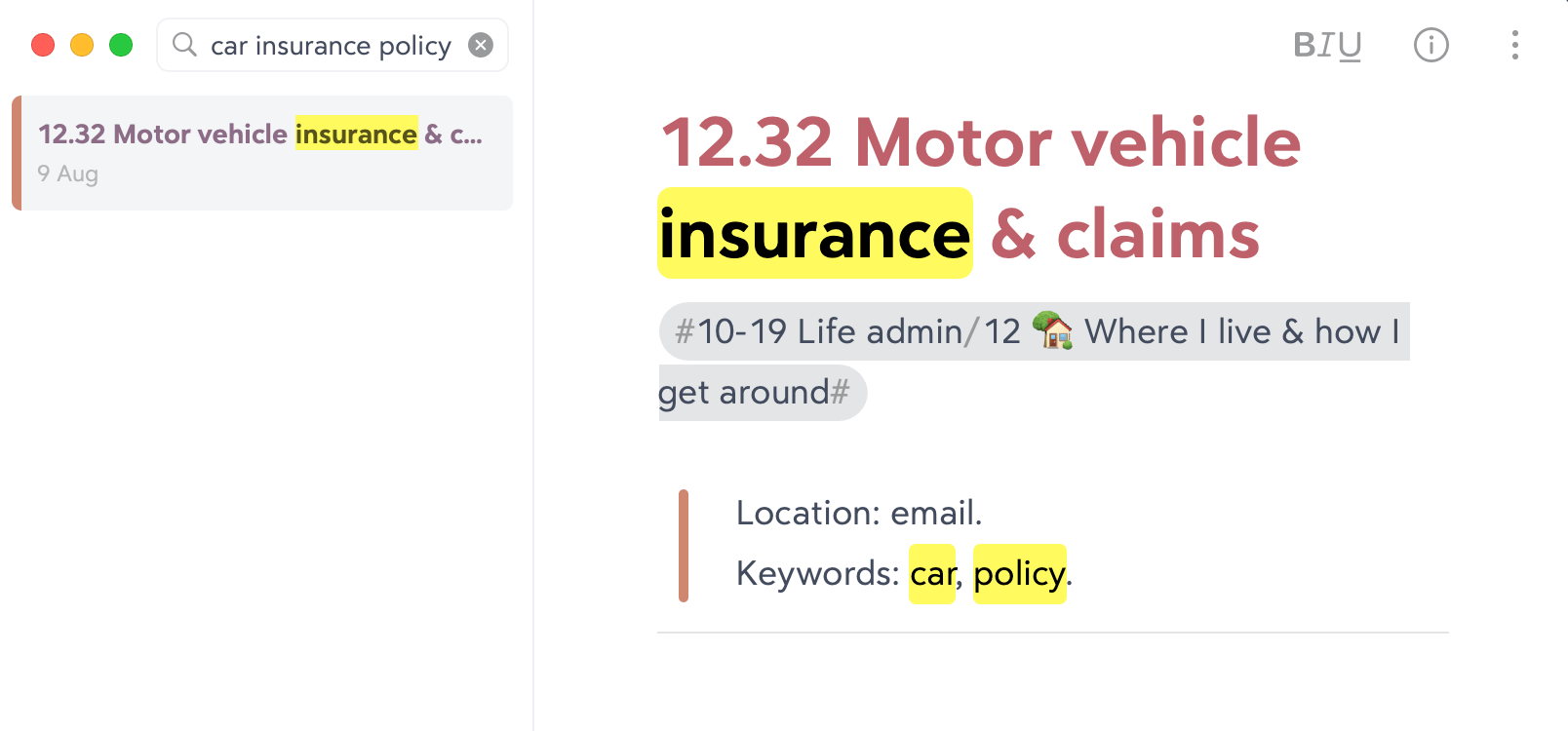
As you can see here, we've also added 'keywords' to our JDex entry to help us find it in the future.
Your system's memory
As you use it more, your index becomes your system's memory. As well as just keeping simple lists of what's where, you can use it to record higher-level details about the system.
For example, I have two systems in my life: Life Admin, and Small Business. Each contains a category 13 which relates to finance. And in there I have IDs where I track my subscriptions.
But some of my subscriptions apply to both life and business. I use the same backup service for both, for example. So which system should I store that in?
This is where you decide and document.
Decide
Just decide! I decided that my life comes above my business. If you like, life contains business. So where there are things that could be in either system, I put them in Life Admin.
Document
A simple decision, which you're sure you'll remember. But why chance it? This is exactly what your JDex is for.
Footnotes
-
I talk more about this in keeping notes. ↩
-
JDex: Two other methods documents the more advanced ways to keep your JDex. ↩
-
An index is not an inventory. It is for recording the IDs that you have assigned, not to track all of your documents. ↩